











Whatsapp launches Multi-Phone Support: Use 1 Whatsapp Account on 4 Smartphones!


 Follow
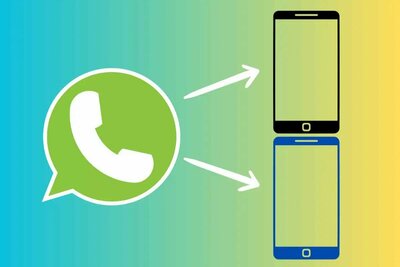
Whatsapp has launched the Multi-Phone Support where users will be able to use a Whatsapp account in upto 4 Smartphones/Devices at the same time! This is meant for Whatsapp Business users where the owner along with his/her 3 employees can operate the same account simultaneously on their own mobiles to serve their customers effectively.
Select a Primary Mobile (owner), and login to Whatsapp.
Secondary Mobiles (employees) need to enter Primary’s Whatsapp number for login.
Enter OTP received in the primary mobile.
That’s it!
Another way is scanning QR code from the primary mobile.
||google_ad||
Whatsapp said:-
“Each linked phone connects to WhatsApp independently, ensuring that a user's personal messages, media and calls are end-to-end encrypted, and if your primary device is inactive for a long period, we automatically log you out of all companion devices”
A new way to better serve your customers just dropped✨ Now you can enable up to 4 employees to connect to the same WhatsApp Business account, directly through their smart phones. https://t.co/RcaJdQm1U0
— WhatsApp Business (@whatsappbiz) April 26, 2023
A special thanks to Dimer @bobby_123 for his Whatsapp on Multiple Phones thread.







What will i do with this? 😳
all married men will now shift to telegram
Whatsapp has launched the Multi-Phone Support where users will be able to use a Whatsapp account in upto 4 Smartphones/Devices at the same time! This is meant for Whatsapp Business users where the owner along with his/her 3 employees can operate the same account simultaneously on their own mobiles to serve their customers effectively.
Select a Primary Mobile (owner), and login to Whatsapp.
Secondary Mobiles (employees) need to enter Primary’s Whatsapp number for login.
Enter OTP received in the primary mobile.
That’s it!
Another way is scanning QR code from the primary mobile.
||google_ad||
Whatsapp said:-
A special thanks to Dimer @bobby_123 for his Whatsapp on Multiple Phones thread.