












18 Free & Paid AI Video Makers & Editors in 2025


 Follow
Making & editing videos has become easier. Thanks to 100% free AI video makers like Meta AI and professional AI video editing tools like Adobe AI, Invideo & more. After researching a ton of AI video making & editing apps, we have listed below the top 18 AI video generators & editors that we found the best. We have also personally tried some of these apps and shared samples of what's created so you know exactly what you are signing up for. Find below a detailed list of AI video generators and editors, pricing, free vs paid features & actual testing samples.
After trying, reviewing & researching about 18 AI video making & editing apps and websites, here’s what we have found the best.
The #1 free AI video generator in 2025 is Imagine with Meta AI. Right now, Meta AI is 100% free to use and you can generate videos from a simple text prompt. There’s no limit on usage too. Here’s a test sample we created using Meta AI for free.
One of the best free AI video tools to create YouTube Shorts or Reels in 2025 is Pixverse AI. You get 60 credits daily which you can use to generate 3D animated videos from text for 100% free. Here’s a test sample we created.
The best AI video editor for professionals in 2025 has to be Adobe Premier Pro combined with Adobe Firefly (AI). You get the best of both worlds. From auto colour correction, media intelligence, generative extend to AI translation, Adobe AI is one of the best AI video editors for professionals in 2025.
.
Find below a list of AI video generators and editors in India & globally along with complete info on pricing, free vs paid limitations, features and even samples for select tools.
Canva AI Video Editor is one of the best AI video editing apps for beginners and creators. It’s packed with tools like text-to-video, voiceovers, and AI avatars. You get 50 credits to generate AI videos each month and presently, Canva AI is being offered as part of the Canva Pro subscription. So you get to enjoy both the services in a single plan. It’s a decent AI video maker & editor for beginners to start with.
We personally tried Canva AI ourselves to create AI videos & images.
▶️⭐See what we created here🤩: Sample 1, Sample 2, Sample 3
Highlights: Let AI generate snappy clips from your video - best for generating YouTube Shorts/IG Reels, etc from long-form content.
Background noise remover & audio extractor: Remove wind noise or street sounds from your videos
Magic Design: Select 3 to 10 images, give a text-based prompt and Canva AI will generate a video from them.
Video Translator: Use Canva AI to translate videos into 100+ languages
Canva Text to Video AI Maker: Generates AI videos from text prompts
AI Headshot Generator: AI turns your photo or selfie into a talking head or you can pick from their 40 available avatars.
There are also many more features which Canva in general offers such as Background remover, animations, video transitions, Magic resizing, etc.
Free version: Yes✅
Pricing for India: Starts from ₹499 per month or ₹4000 annually
Pricing for United States & international markets: Starts from $12.99 per month or $120 annually
Feature |
Free version |
Canva Pro (Paid) |
Canva Text to Video AI Maker |
5 credits/month |
50 credits/month |
Canva Text to Image AI (in Dreamlab) |
20 credits/month |
500 credits/month |
Canva Text to Image & Graphics (Magic Media) |
Limited free credits |
500 credits/month |
Canva AI Video Editor |
Limited access |
Get access to premium features like Magic Animate, Video Background Remover, AI Voice, Highlights, etc |
Canva AI Magic Studio (All AI Tools)
🤩Use Canva Pro Coupon Code to get discount on the yearly subscription.🤩
.
Pictory AI is one of the best AI video makers and editors out there. It has a simple interface to use and offers a ton of useful AI video making features such as text to video, URL to video, AI voice generator, script to video, YouTube Shorts generator, AI music and much more. There’s no free plan but customers can avail a 14-days free trial to get their hands on some of the features. It proudly calls itself as the #1 AI video creation platform for enterprises having over 500+ 5-star reviews.
AI voice maker: Convert text into AI-powered voiceovers with realistic speech
Script to video: Convert written script into videos with AI narration
Video clip generator: Create YouTube Shorts, Instagram Reels & mini clips for Linkedin & other social media channels
Text to video generator: Turn any text into professional videos, voiceovers and captions
ChatGPT video generator: Let AI generate the script as well as the video for you, completely automated.
Presentation video maker: Convert PowerPoint Slides to engaging videos.
Add subtitles and captions: Let AI add captions and subtitles to your videos automatically
AI video editor: Edit videos with a text prompt.
Free version: No❌(14-days free trial available)
Paid version: Starts from $25/mo (monthly) or $19/mo (annually)
Pictory AI Features |
14-days Free Trial Plan |
Starter ($19) |
Professional ($39) |
Script to Video minutes |
15 mins |
200 mins/mo |
600 mins/mo |
Video Length |
5 mins |
30 mins |
30 mins |
Edit Videos with AI |
60 mins |
60 mins |
180 mins |
Automatic Subtitles & B-roll |
Yes✅ |
Yes✅ |
Yes✅ |
AI Video Highlights Maker |
Yes✅ |
No❌ |
Yes✅ |
Hyper-realistic AI Voices from Elevenlabs |
5 mins |
No❌ |
Yes✅ |
PPT Slides to Video Maker |
50 Slides |
100 Slides/mo |
300 Slides/mo |
Premium music tracks |
5000 |
5000 |
10,000 |
Upload your own music tracks |
Yes✅ |
No❌ |
Yes✅ |
🤩Earn flat 50% discount on Pictory AI using our exclusive coupon code (CUELINKS50) OR Use this special link to get flat 20% OFF & use code (CUELINKS85)🤩
Need more coupons? check latest Pictory AI Offers.✔️✔️✔️
.
Invideo is probably one of the hottest AI video editors and makers in India and globally right now. It is suited for both beginners and professionals. From AI avatars, talking heads to editing videos, Invideo has plenty to offer. However, we've to admit, free and low-tier plans are quite limited so you need to select upwards of $48/mo plan to create something substantial, making it a bit expensive.
Text to video AI generator: Add voice, add new scenes, delete scenes, add subtitles & conceptualise an AI generated video
AI Video Animate: Handle the transitions, change colour levels, add effects, text boxes with a text prompt
AI Auto-resize: Let AI auto-resize your video’s size to suit any social media platform
Use stock videos & photos: Get access to 16M+ stock videos and photos to generate your AI video
Free version: Yes✅
Pricing: Starts from $28 per month
Free version |
Paid version |
10 mins/wk of AI generation |
50 mins/mo of AI generation |
❌No iStock |
80/mo iStock |
❌No Generative credits |
60 sec Generative credits |
10 GB storage |
100 GB storage |
4 exports/wk with Invideo logo |
Unlimited exports |
2.5M+ standard media |
2 voice clones |
❌No voice clones |
Up to 1 user |
🤩Get FLAT 50% Discount on Invideo using our Exclusive Code🤩
.

Adobe being a legacy name in the video editing space is hands down one of the best paid AI video editors out there. It offers advanced AI video editing features such as automated colour correction, extending clips, removing objects, auto translation & much more. If you are looking for a professional AI video generator & editor tool, Adobe AI is highly considerable.
Best for: Professional video editors, YouTube creators & large sized businesses⭐
AI Generative Extend: Extend clips with AI (For example, add an image or video and the AI will automatically extend it into a clip lasting a few seconds)
Video Editor: Reframe videos for different social media platforms, add new frames or generate missing ambient sound
Media Intelligence: Describe anything you need to find, using everyday language and clips matching your description are at your fingertips.
Translation & Transcripts: Auto-translate your captions into 27 languages with AI and also generate video transcript
AI Audio Category Tagging: Adobe AI recognises if your clips are music, dialogue, sound effects or ambiance and adds an interactive badge.
AI Enhance Speech: Removes background noise & enhances video sound
Free version: Yes✅
Pricing for India: Starts from ₹1915 per month or ₹21,070 annually
Pricing for United States: Starts from $59.99 per month or $660 annually
Note that with these Individual Creative Cloud Plans, you only get access to standard AI features like text to image or generative fill but for access to premium features like Generative Video, AI translate, transcribe & more, you need to purchase Adobe Firefly plan.
Currently, Creative Cloud plans only have complimentary generations to try premium features (2 video generations and 40 seconds of translation).
Plan |
Price/mo |
Credits |
Premium Features |
Free |
₹0.00 |
25 |
Yes – Trial access |
Standard |
₹797.68 |
2,000 |
20 x 5-sec videos OR 6 min audio/video |
Pro |
₹2,394.22 |
7,000 |
70 x 5-sec videos OR 23 min audio/video |
Premium |
₹15,965.40 |
50,000 |
500 x 5-sec videos OR 166 min audio/video |
Adobe Firefly Plans (for Generative AI Videos & Images)
Adobe AI Video Generator (Firefly)
🤩Save 49% on Adobe Creative Cloud using our coupon code🤩
.
Next up on our list of AI video editors & makers in 2025 is Wondershare Filmora AI. The platform offers plenty of AI features and has one of the fastest rendering speeds compared to most other professional video editing platforms. But where Filmora AI falls short is in giving 100% accurate results. The software does fairly well on AI features like image to video, sound enhancing, removing background noise and generating a sound effect from text. The Image AI generator takes longer to create an image but produces good quality images. However, some features like Smart Shorts Clips & AI text-based editing can need more revisions at times.
AI Audio to Video: Just input your audio and the AI will generate a video based on it (with lip synced)
Social content planner: Post, manage & plan all your social media content from one place. Get insights on trends, ideal posting times, etc from AI.
AI image to video: Turn static images into videos with effects including a hug, kiss, fight, etc
Smart scene cut: Extra highlights from the video in a few clicks
Smart short clips: Transform long-form videos into mini clips automatically & add subtitles, audio, etc
AI video enhancer: Improve clarity, adjust colour or upscale video to 4K
AI voice enhancer: Remove noise, generate music based on mood styles
More AI video editing features: Object remover, thumbnail creator, translate, copywriting video titles & descriptions & more
Free version: No ❌
Paid version: Starts from ₹2999/year or $8.30/mo
Region |
Plan Type |
Price |
AI Credits |
India |
Annual Plan |
₹2999/year |
1000 Filmora AI Credits/month |
India |
Lifetime Plan |
₹4180 (one-time) |
1000 Filmora AI Credits (once) |
United States |
Basic Plan |
$4.99/month |
1000 credits/month |
United States |
Premium Plan |
$8.30/month |
2000 credits/month |
All Regions |
Free Version |
Not Available ❌ |
|
🤩Be sure to grab 50% OFF Filmora coupon codes to save big🤩
.
One of the best AI video generation platforms in India and globally is Google Gemini. Recently, Google Gemini launched Veo 2, its video generator model in Gemini Advanced that can create 8-second hyper-realistic AI-generated videos from a text prompt. What’s exciting is that new users get 1-month free of Gemini Advanced so you can try Gemini AI Video Generator for free.
Gemini Video Generator Features:
Text to Video: Write a scene and AI transforms it into a hyper-realistic video
Different video styles: From 2D, 3D animated videos to real-life hyper realistic videos, Gemini AI lets you create a variety of videos.
Whisk Animate: Turn images into engaging AI-gen videos
Free version: No❌ but you do a 1-month free trial
Paid version: Starts from ₹1999/mo
Features |
Free |
Paid |
Google Gemini AI Image Generation |
Yes✅ |
Yes✅ |
Google Gemini AI Veo 2 |
No❌ |
Yes✅ |
Google Gemini Whisk Aminate |
No❌ |
Yes✅ |
🤩Get 15% discount on Gemini Plus Plan!🤩
.
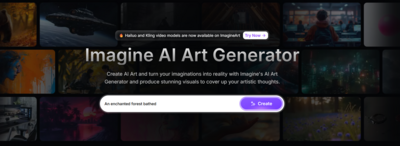
ImagineArt is one of the best free AI video makers in India & globally in 2025. Obviously it’s not 100% free but it gives you 30 credits every 12 hours. Using these credits, you can generate hyper-realistic AI videos for totally free! We tried this ourselves and you can have a look at what we created over here:
▶️⭐See our 2 second AI video🤩 that we generated for 100% free using ImagineArt.
Bottom line is ImagineArt is hands down one of the best free AI video makers and editors right now. Learn more below.
Image to video: Create hyper-realistic AI generated videos from images. Customise camera motions, lighting and art styles.
Text to video: Generate video from text, add animation, effects, sound, music & more
Text to Speech: Convert text into expressive, natural-sounding voiceovers. Choose from 52 voices across 8 languages.
AI dubbing and voiceover: Dub any videos across multiple languages.
MovieGen: Turns your ideas into captivating 2-minute videos, add narration, music, captions, and cinematic AI-generated visuals.
Coming Soon: Voice Cloning, Voice Isolator, Sound Effects, and Podcast Generator
Free version: Yes✅
India pricing: Starts from ₹883 (billed yearly) and ₹1270 (billed monthly)
US pricing: Starts from $10/mo (yearly) or $15/mo (monthly)
ImagineArt AI Features |
Free |
Basic |
Standard |
Professional |
Total generative credits per month |
30 credits/12 hours |
1.5K credits/mo |
5K credits/mo |
15K credits/mo |
Image generative credits/mo |
10 credits |
Up to 300 credits |
Up to 1000 credits |
Up to 3000 credits |
Video generative credits/mo |
20 credits |
Up to 300 credits/3 months |
Up to 1000 credits/3 months |
Up to 3000 credits/3 months |
ImagineArt Video Studio (MovieGen & more)
.
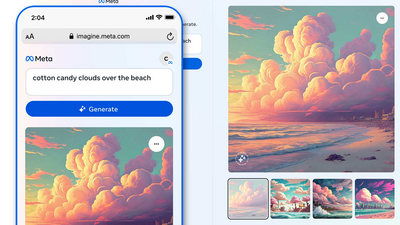
One of the best and 100% free texts to video makers is Meta AI. From hyper-realistic videos, generative AI videos to cartoon animations, there’s no limit to what you can create for FREE using Meta AI. The best part? You only get a teeny-tiny small watermark of Meta AI in the corner of your video. So you don’t need to worry about those giant watermarks that ruin your content or make your video look unprofessional.
▶️⭐See what we created using Meta AI here🤩: 1st Sample, 2nd Sample, 3rd Sample
Important: Make a note, Meta MovieGen advance tool is still under research & development.🔨🚧. This tool is more advanced compared to Imagine with Meta AI & could be a paid offering.
Unlimited video and images generation: Create unlimited images and videos lasting a few seconds
Text to videos: Simply enter a text prompt & Meta AI will create a video for you. Give direction on art style, mood, lighting for better output.
Free version: Yes✅
Paid version: Not available currently.
Try Meta AI Image & Video Maker (100% FREE)
Meta AI Movie Gen (coming soon)
.
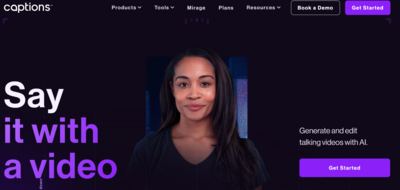
Captions AI offers real-time video editing using AI tools such as AI Edit, AI Music, AI Sound-effects and more. The platform also offers captions in 100 languages and a unique AI feature of transforming Reddit comments to reel videos. A con we felt about the platform is that most of the good AI features & higher-limits are locked for high-tier plans only.
Reddit to Reel: Generate engaging AI reel videos from Reddit comments.
AI Music: Create royalty-free music from text prompts for your videos
AI Twin: Create a digital version of yourself that looks like you & talks like you
AI Lipdub: AI speaks & dubs your voice to any language you want
AI Mirage: Generate hyper-realistic looking AI videos from scripts or audio files.
Free version: No ❌
Pricing: Starts from $9.99 per month.
AI Feature |
Pro ($9.9) |
Max ($24.99) |
Scale ($69.99) |
Business ($79.99) |
AI Twin |
2 |
Unlimited |
Unlimited |
Unlimited |
Mirage Edit |
❌(No) |
✅(Yes) |
✅(Yes) |
✅(Yes) |
Generative AI Video |
❌(No) |
✅(Yes) |
✅(Yes) |
✅(Yes) |
Video Generation Speed |
Standard |
Fast |
Fastest |
Fastest |
Scale Ad Production with AI |
❌(No) |
❌(No) |
❌(No) |
✅(Yes) |
AI Lipdub |
❌(No) |
✅(Yes) |
✅(Yes) |
✅(Yes) |
Common features available for all plans |
AI Creator, AI Background Noise Remover, AI Edit, AI Image, AI Voice, AI sound effects, AI translate, AI Shorts, Reddit to Reels, AI Voice Clone & AI Music |
|||
Captions AI Mirage (world’s first)
🤩Get 50% discount on Captions AI Monthly Plan🤩
.
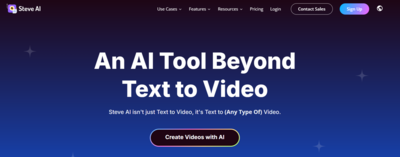
Steve AI founded in 2014 is a next-gen AI-based platform based out of San Francisco. Steve AI is available for both, free as well as paid users. Free users can generate up to 5 minutes basic video wherein the AI uses images from Getty & also adds an AI voiceover. Unfortunately, the free videos get a giant watermark and are non-downloadable. You can only publish your first video on YouTube. With that said, if you are willing to shed a few bucks, you get the Steve AI paid version which is far better.
▶️⭐See our Steve AI-generated Video🤩sample that we created for 100% free.✔️
Turn a text into a video script: Enter your short, quick prompt and let AI convert it into a scene-by-scene script to help generate more engaging videos
Blog to video: Turn a blog article into an explanatory video
Text to video: Enter a text prompt, select a video style such as Generative AI or Live Action or Animation and SteveAI generates a video for you
Talking head videos with lip syncing: Want to start a faceless YouTube channel? SteveAI talking head animation maker offers you 100+ avatars and speaks your language
Free version: Yes✅
India pricing: Starts from ₹1499/mo (billed yearly) or ₹1999/mo (monthly)
US pricing: Starts from $20/mo (monthly) or $15/mo (annually)
Steve AI |
Free |
Basic ($15) |
Starter ($45) |
Pro ($60) |
AI Video mins/mo |
Up to 5mins/video (watermark & non-downloadable) |
100 mins |
300 mins |
400 mins |
AI Images & Premium Stock/mo |
None |
300 |
900 |
1200 |
Generative Credits |
None |
120 sec |
120 sec |
5 mins |
Export Quality |
720p |
720p |
1080p |
2K |
Human-like Voices |
Yes |
Up to 90% |
Up to 90% |
Up to 100% |
Animated Characters |
Yes |
100+ |
300+ |
300+ |
🤩Steve AI Limited-time Offer - Get Pro Plan at $40/month!🤩
.

Renderforst founded in 2013 is an AI video editing tool having over 25M+ users. If you are looking for a cheap, simple easy-to-use tool that offers limited but essential AI features to help you get the job done, Renderforest is highly considerable. With Renderforest, you do not get a fancy suite of AI tools (like you do with Adobe or Invideo or Captions AI) but if you are just starting out, this could be a good starting point.
AI Text to Speech: Write your script & convert it into a voice-over in your desired language & gender voice
AI Animation Maker: Create whiteboard animation videos, 2D & 3D explainer videos & more
Generate AI Videos from text: Enter your script, pick a video style and let AI generate video for you
AI Business Name & Logo Generator: Enter a text prompt about your business and AI generates a catchy business name & logo for you.
Free version: Yes✅
India pricing: Starts from ₹1299/mo (monthly) or ₹899/mo (annually)
US pricing: Starts from $14/mo (monthly) or $9/mo (annually)
AI Feature |
Free |
Lite |
Pro |
Business |
Project Duration |
Max 1 minute |
Unlimited |
Unlimited |
Unlimited |
Export Quality |
360p |
720p |
1080p |
Up to 4K |
Text to Speech |
10 mins |
50 mins/mo |
100 mins/mo |
300 mins/mo |
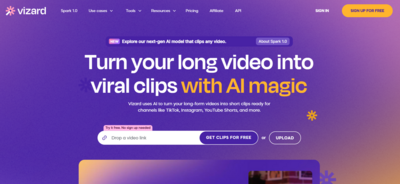
Vizard AI is an AI-driven video tools company founded in Delaware, USA. If you are a content creator, marketer, podcaster or an agency, Vizard AI might be up your alley. It offers plenty of AI video editing tools to edit and publish videos on the go for all major platforms including Tiktok, Instagram, YouTube, Linkedin, X (Twitter). What’s better is that even the free plan offers you decent features. Overall, it’s a decent AI video maker in 2025 to try out.
Add images & text to video: Drop images & AI to your videos using AI
AI Video editor: Add transcription, translation, split & clip videos, add resize video editor to publish across any social media platform
AI Podcast Video Editor: Track, cut and center important objects in your video to turn any landscape video into vertical, Generate short clips, add emojis with AI, B-roll and auto-reframe.
Free version: Yes✅
Paid version: Starts from $14.5/mo (yearly) to $29/mo (monthly).
AI Features |
Free |
Creator |
Business |
Watermark |
Yes❌ |
No✅ |
No✅ |
Monthly video upload limit |
60 mins |
600 mins |
600 mins |
Export Quality |
720p |
4K |
4K |
Export Length |
10 mins |
Unlimited |
Unlimited |
AI Subtitling |
Yes✅ |
Yes✅ |
Yes✅ |
AI Translation |
No❌ |
Yes✅ |
Yes✅ |
AI Clipping, B-rolls, Emojis, Highlight Keywords, Auto-reframe |
Yes✅ |
Yes✅ |
Yes✅ |
AI Processing Speed |
Slow |
Fast |
Faster |
Vizard AI Spark 1.0 (next-gen video understanding LLM)
🤩Save up to 47% on Vizard AI Plans! Don’t miss using the coupon code.🤩
.
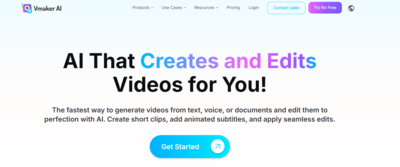
Vmaker is an Indian award-winning startup that edits and generates AI videos. If you are looking for a free AI video editor in 2025, this might be a good bet. Vmaker AI might not edit the raw, unnecessary parts of your video but it does a fairly good job of creating Shorts, adding B-rolls, highlights, subtitles, AI music, AI avatars, etc. It also lets you record video in 4K quality. Youtubers, marketers and small businesses looking for a free AI video editor in 2025 can consider Vmaker AI.
AI Doc to Video generator: Create business presentations, AI avatar speaking videos or explainer videos from documents
AI Video Generator: Get access to 100+ AI avatars, customise your AI voice, generate text to video, audio to video, presentation to videos & more
AI Video editor: Auto-generate subtitles, stickers, add B-roll, add zoom in & out, background music, text animation and transitions
AI screen recorder & web cam: Record your web cam & screen at the same time, add AI background, trim, flip or merge the video, draw while recording and edit videos using AI.
Free version: Yes✅
Paid version: Starts from $24 (monthly) or $18 (annually)
AI Features & Credits |
Free |
Starter |
Teams |
Export length |
5 mins |
30 mins |
45 mins |
Export quality |
720p |
1080p |
2K |
Video downloads |
— |
10/mo |
30/mo |
Upload storage limit |
500mb |
2 GB |
5 GB |
Auto subtitles |
20 mins/mo |
40 mins/mo |
120 mins/mo |
Generative credits |
— |
36 mins |
144 mins |
.
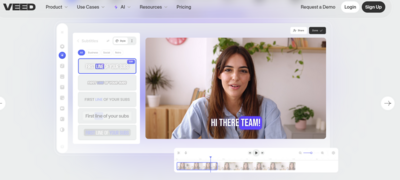
One of the popular free AI video editors & generators is VEED. The company was founded in 2019 and is based out of London. There are both free and paid plans available. You get features such as AI subtitles, Text to Speech, AI Avatars, Remove Background Noise, Transcribe videos & more. Bottomline is if you are on the hunt for an AI video editor as a beginner or a small content creator or agency, it might be worth checking out VEED.
Auto AI Subtitles
AI Background Noise Remover & Background Remover
AI Script Generator
AI Video Translation & Transcription
Magic Cut & AI Avatars
Free version: Yes✅
India pricing: Starts from ₹499/mo (billed yearly)
US pricing: Starts from $24/mo (monthly) or $12/mo (annually)
VEED AI Features |
Free |
Lite |
Pro |
Export Quality |
720p |
1080p |
4K |
Video Export Length |
10 mins |
– |
– |
Auto Subtitles |
2mins/mo |
144hr/yr |
144hr/yr |
Subtitles Translation |
Try Once |
Try Once |
4hr/yr |
AI Eye Contact |
Try Once |
Try Once |
Yes✅ |
AI Self Avatars |
No❌ |
No❌ |
No❌ |
AI Avatars |
Try Once |
Try Once |
(4hr/yr)✅ |
Background Removal, Clean Audio, Voice Clone, Clips |
Try Once |
Try Once |
Yes✅ |
Text to Speech |
Try Once |
Try Once |
(144hr/yr)✅ |
AI Dubbing |
Try Once |
Try Once |
(4hr/yr)✅ |
🤩Check out VEED AI offers & discount codes to save a few bucks!🤩
.
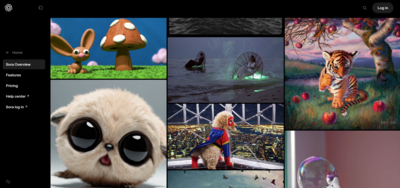
Sora AI is again one of the best AI video maker tools in 2025. Thanks to its free version, users can generate 3 images a day for free. At the moment, you cannot generate AI videos in the free version of Sora AI. But, hold on, here’s where it gets interesting. Currently, ChatGPT is offering Sora AI access in ChatGPT Plus & Pro plans so you need to buy a Sora AI subscription separately. Moreover, both the plans offer unlimited images & video generative credits. Something almost no other tool offers at the same price.
Images & video generation: Enter a text prompt to create high-quality hyper-realistic images and videos up to 20 seconds.
Sora AI Remix: Replace, remove, or re-imagine elements in your video with Remix
Re-cut: Find & isolate the best frames from the video and extend them into a complete scene
AI Loop: Trim down and create repeating videos with loop
AI Video Generation: Generate AI videos in different size ratios (1:1, 16:9 & more), quality up to 1080p, video styles and duration (5 to 20 seconds).
Free version: Yes✅
Paid version: Starts from $20 per month
Sora AI features |
Free |
Plus ($20/mo) |
Pro ($200/mo) |
Unlimited Images |
No❌(only 3/day) |
Yes✅ |
Yes✅ |
Video generation |
Not supported❌ |
50 videos at 480p OR fewer videos at 720p |
10X more usage |
Video duration |
—- |
10 seconds |
20 seconds |
Export Quality |
—- |
720p |
1080p |
.
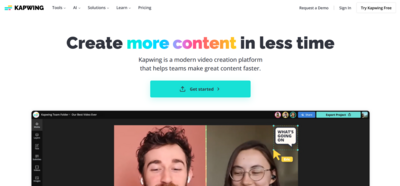
Kapwing founded in 2018 is popular for being an online video editor. However, recently the company has also stepped its foot into Generative AI. Now, users can create text to video, edit videos using AI, automate adding subtitles & captions and even translate languages. If you are a beginner content creator or a startup, you can consider using Kapwing. It’s not as professional and advanced as Adobe Firefly, Pictory AI or Invideo but it's decent if you need an all-in-one solution with AI plus an online video editor.
AI Video Generator: Give a small description & the AI creates a quick, few seconds video on that topic (For example, “create a video about the 5 signs of aging”)
AI Video Editor: Add voiceover, images and videos, subtitles, background music, transitions, and even an AI Persona (human presenter).
AI Shorts Clips Generator: Upload your video and AI will create small clips for you. Edit them with subtitles, emojis or transitions.
Article to video: Turn any blog or article into a video
More AI tools: Background remover, voice enhancer, auto transcription, auto translation, B-roll generator
Free version: Yes✅
Paid version: Starts from $16 per month (billed yearly) or from $24 per month (billed monthly)
AI Features |
Free |
Pro |
Business |
Watermark |
Yes✅ |
No❌ |
No❌ |
AI Video Creation |
Not Supported❌ |
Up to 120 mins |
Up to 120 mins |
AI Subtitles |
Up to 10 mins/mo |
Up to 300 mins/mo |
Up to 900 mins/mo |
AI Translation |
Not Supported❌ |
Up to 300 mins/mo |
Up to 900 mins/mo |
Edit with AI Credits |
Not Supported❌ |
30/mo |
75/mo |
Text to Speech per month |
Up to 3 mins/mo |
Up to 80 mins/mo |
Up to 200 mins/mo |
Export Quality |
720p |
4K |
4K |
.
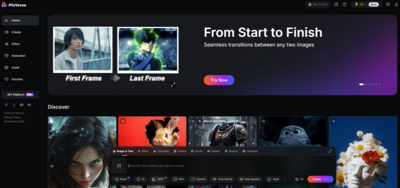
Pixverse AI is a popular & free AI video maker app for social media content like TikToks, Reels, and YouTube Shorts. We personally tried it and found it to be among the best free AI video generator websites to try out in 2025. Users earn 60 credits for daily log in and can use these credits to create text to videos for completely free! The only drawback is you can only create free videos in 360p and for higher resolution, you need to opt for the paid plans. Free videos also have a watermark by default (though it’s less intrusive).
We personally tried Pixverse AI ourselves to create AI videos.
▶️⭐See what we created here🤩: Sample 1, Sample 2, Sample 3
Text to video: Create 3D animated video, comic style video, anime video or clay or cyberpunk-styled videos with a simple text prompt
Camera Control & Resolution: Select from different camera angels such as Zoom Out, Zoom In, Vertical Up, Vertical Down, etc and resolutions including 360p to 1080p.
AI Auto Sound: Add sound to videos using AI
AI Auto Speech: Add human sounding speech to videos
AI Video Editor: Add transition, sound effects, extend videos, restyle them
AI Character: In this mode, you can create a character & describe its story
Free version: Yes✅
Paid version: Starts from $8/mo (billed yearly) and $10/mo (billed monthly)
AI Features |
Free |
Standard ($8/mo) |
Pro ($24/mo) |
Premium ($48/mo) |
Credits |
60/day |
60/day + 1200/mo |
60/day + 6000/mo |
60/day + 15000/mo |
Effects |
2/day |
Unlimited |
Unlimited |
Unlimited |
Remove Watermark |
No❌ |
Yes✅ |
Yes✅ |
Yes✅ |
Resolution |
360p |
720p |
1080p |
1080p |
Faster Generation |
No❌ |
No❌ |
Yes✅ |
Yes✅ |
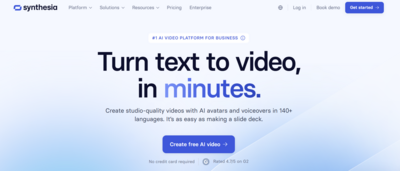
Last but not the least on our list of AI video maker websites is Synthesia AI. The platform helps you create talking head videos especially useful for training or educational videos. Don’t expect to create 3D animation or anything fancy using Synthesia. That's not what the tool is good at. What you can do is create PowerPoints with a talking human figure, turn an article into a video script, create basic explainer videos (which has a human figure on the right and a text content on the left) and add an AI voiceover to it.
AI Screen Recorder: Automatically turn voiceover into text, split recording into small clips, automatically removes “umm” “uhs” filler words, go faceless by adding an AI avatar, translate recording into 80+ languages and more
AI Video Editor: Modify templates, add triggers and animations, refine your script, and add AI avatars. Personalize further by adding brand’s logos and colors.
AI Voiceover and Translation: Automatically translate videos into 80+ languages.
Powerpoint to Video: Turn Powerpoint slides into a video with an AI avatar of your choice and an AI voice
Free version: Yes✅(for select countries only)
Paid version: Starts from $18/mo (billed yearly)
Features |
Free |
Starter ($18/mo) |
Creator ($64/mo) |
Video Generation |
3 mins/mo |
3 mins/mo + 120 mins/year |
3 mins/mo + 360 mins/year |
Remove watermark |
No❌ |
Yes✅ |
Yes✅ |
AI Avatars |
9 |
125+ |
180+ |
Personal AI Avatars |
No❌ |
No❌ |
Yes✅ |
AI Dubbing |
No❌ |
No❌ |
Yes✅ |
Download Videos |
No❌ |
Yes✅ |
Yes✅ |
🤩Use Synthesia AI Coupon Codes & Offers to grab discounts on paid plans!🤩
.
That's all about sharing a list of top AI video generators and editors in India & globally in 2025. Do let us know in the comments below if you've used any of these tools? We hope you found this one helpful:))







Cricket shots
Advertising videos on automobile field
“The Broken Shoes”
Scene 1: A boy runs in a schoolyard. His shoes are torn, the sole flapping. Other kids laugh.
Scene 2: He sits under a tree, embarrassed, watching others play.
Scene 3: A coach notices him, hands him a pair of old but strong sneakers.
Scene 4 (Closing): Next day, the boy wins the school race wearing those sneakers.
Caption: “It’s not about what you wear—it’s about the heart that carries you.”
Samajhdar to paper story
Making & editing videos has become easier. Thanks to 100% free AI video makers like Meta AI and professional AI video editing tools like Adobe AI, Invideo & more. After researching a ton of AI video making & editing apps, we have listed below the top 18 AI video generators & editors that we found the best. We have also personally tried some of these apps and shared samples of what's created so you know exactly what you are signing up for. Find below a detailed list of AI video generators and editors, pricing, free vs paid features & actual testing samples.
After trying, reviewing & researching about 18 AI video making & editing apps and websites, here’s what we have found the best.
The #1 free AI video generator in 2025 is Imagine with Meta AI. Right now, Meta AI is 100% free to use and you can generate videos from a simple text prompt. There’s no limit on usage too. Here’s a test sample we created using Meta AI for free.
One of the best free AI video tools to create YouTube Shorts or Reels in 2025 is Pixverse AI. You get 60 credits daily which you can use to generate 3D animated videos from text for 100% free. Here’s a test sample we created.
The best AI video editor for professionals in 2025 has to be Adobe Premier Pro combined with Adobe Firefly (AI). You get the best of both worlds. From auto colour correction, media intelligence, generative extend to AI translation, Adobe AI is one of the best AI video editors for professionals in 2025.
.
Find below a list of AI video generators and editors in India & globally along with complete info on pricing, free vs paid limitations, features and even samples for select tools.
Canva AI Video Editor is one of the best AI video editing apps for beginners and creators. It’s packed with tools like text-to-video, voiceovers, and AI avatars. You get 50 credits to generate AI videos each month and presently, Canva AI is being offered as part of the Canva Pro subscription. So you get to enjoy both the services in a single plan. It’s a decent AI video maker & editor for beginners to start with.
We personally tried Canva AI ourselves to create AI videos & images.
▶️⭐See what we created here🤩: Sample 1, Sample 2, Sample 3
Highlights: Let AI generate snappy clips from your video - best for generating YouTube Shorts/IG Reels, etc from long-form content.
Background noise remover & audio extractor: Remove wind noise or street sounds from your videos
Magic Design: Select 3 to 10 images, give a text-based prompt and Canva AI will generate a video from them.
Video Translator: Use Canva AI to translate videos into 100+ languages
Canva Text to Video AI Maker: Generates AI videos from text prompts
AI Headshot Generator: AI turns your photo or selfie into a talking head or you can pick from their 40 available avatars.
There are also many more features which Canva in general offers such as Background remover, animations, video transitions, Magic resizing, etc.
Free version: Yes✅
Pricing for India: Starts from ₹499 per month or ₹4000 annually
Pricing for United States & international markets: Starts from $12.99 per month or $120 annually
Feature
Free version
Canva Pro (Paid)
Canva Text to Video AI Maker
5 credits/month
50 credits/month
Canva Text to Image AI (in Dreamlab)
20 credits/month
500 credits/month
Canva Text to Image & Graphics (Magic Media)
Limited free credits
500 credits/month
Canva AI Video Editor
Limited access
Get access to premium features like Magic Animate, Video Background Remover, AI Voice, Highlights, etc
Canva AI Video Generator
Canva AI Video Editor
Canva AI Magic Studio (All AI Tools)
.
Pictory AI is one of the best AI video makers and editors out there. It has a simple interface to use and offers a ton of useful AI video making features such as text to video, URL to video, AI voice generator, script to video, YouTube Shorts generator, AI music and much more. There’s no free plan but customers can avail a 14-days free trial to get their hands on some of the features. It proudly calls itself as the #1 AI video creation platform for enterprises having over 500+ 5-star reviews.
AI voice maker: Convert text into AI-powered voiceovers with realistic speech
Script to video: Convert written script into videos with AI narration
Video clip generator: Create YouTube Shorts, Instagram Reels & mini clips for Linkedin & other social media channels
Text to video generator: Turn any text into professional videos, voiceovers and captions
ChatGPT video generator: Let AI generate the script as well as the video for you, completely automated.
Presentation video maker: Convert PowerPoint Slides to engaging videos.
Add subtitles and captions: Let AI add captions and subtitles to your videos automatically
AI video editor: Edit videos with a text prompt.
Free version: No❌(14-days free trial available)
Paid version: Starts from $25/mo (monthly) or $19/mo (annually)
Pictory AI Features
14-days Free Trial Plan
Starter ($19)
Professional ($39)
Script to Video minutes
15 mins
200 mins/mo
600 mins/mo
Video Length
5 mins
30 mins
30 mins
Edit Videos with AI
60 mins
60 mins
180 mins
Automatic Subtitles & B-roll
Yes✅
Yes✅
Yes✅
AI Video Highlights Maker
Yes✅
No❌
Yes✅
Hyper-realistic AI Voices from Elevenlabs
5 mins
No❌
Yes✅
PPT Slides to Video Maker
50 Slides
100 Slides/mo
300 Slides/mo
Premium music tracks
5000
5000
10,000
Upload your own music tracks
Yes✅
No❌
Yes✅
Pictory AI Complete Features & Pricing
Pictory AI Video Maker
Pictory AI YouTube Shorts Generator
.
Invideo is probably one of the hottest AI video editors and makers in India and globally right now. It is suited for both beginners and professionals. From AI avatars, talking heads to editing videos, Invideo has plenty to offer. However, we've to admit, free and low-tier plans are quite limited so you need to select upwards of $48/mo plan to create something substantial, making it a bit expensive.
Text to video AI generator: Add voice, add new scenes, delete scenes, add subtitles & conceptualise an AI generated video
AI Video Animate: Handle the transitions, change colour levels, add effects, text boxes with a text prompt
AI Auto-resize: Let AI auto-resize your video’s size to suit any social media platform
Use stock videos & photos: Get access to 16M+ stock videos and photos to generate your AI video
Free version: Yes✅
Pricing: Starts from $28 per month
Free version
Paid version
10 mins/wk of AI generation
50 mins/mo of AI generation
❌No iStock
80/mo iStock
❌No Generative credits
60 sec Generative credits
10 GB storage
100 GB storage
4 exports/wk with Invideo logo
Unlimited exports
2.5M+ standard media
2 voice clones
❌No voice clones
Up to 1 user
Invideo AI Video to Text Generator
Invideo AI Video Maker
Invideo YouTube Shorts
Invideo AI Video Editor
.
Adobe being a legacy name in the video editing space is hands down one of the best paid AI video editors out there. It offers advanced AI video editing features such as automated colour correction, extending clips, removing objects, auto translation & much more. If you are looking for a professional AI video generator & editor tool, Adobe AI is highly considerable.
Best for: Professional video editors, YouTube creators & large sized businesses⭐
AI Generative Extend: Extend clips with AI (For example, add an image or video and the AI will automatically extend it into a clip lasting a few seconds)
Video Editor: Reframe videos for different social media platforms, add new frames or generate missing ambient sound
Media Intelligence: Describe anything you need to find, using everyday language and clips matching your description are at your fingertips.
Translation & Transcripts: Auto-translate your captions into 27 languages with AI and also generate video transcript
AI Audio Category Tagging: Adobe AI recognises if your clips are music, dialogue, sound effects or ambiance and adds an interactive badge.
AI Enhance Speech: Removes background noise & enhances video sound
Free version: Yes✅
Pricing for India: Starts from ₹1915 per month or ₹21,070 annually
Pricing for United States: Starts from $59.99 per month or $660 annually
Note that with these Individual Creative Cloud Plans, you only get access to standard AI features like text to image or generative fill but for access to premium features like Generative Video, AI translate, transcribe & more, you need to purchase Adobe Firefly plan.
Currently, Creative Cloud plans only have complimentary generations to try premium features (2 video generations and 40 seconds of translation).
Plan
Price/mo
Credits
Premium Features
Free
₹0.00
25
Yes – Trial access
Standard
₹797.68
2,000
20 x 5-sec videos OR 6 min audio/video
Pro
₹2,394.22
7,000
70 x 5-sec videos OR 23 min audio/video
Premium
₹15,965.40
50,000
500 x 5-sec videos OR 166 min audio/video
Adobe Firefly Plans (for Generative AI Videos & Images)
Adobe AI Video Editor
Adobe AI Video Generator (Firefly)
.
Next up on our list of AI video editors & makers in 2025 is Wondershare Filmora AI. The platform offers plenty of AI features and has one of the fastest rendering speeds compared to most other professional video editing platforms. But where Filmora AI falls short is in giving 100% accurate results. The software does fairly well on AI features like image to video, sound enhancing, removing background noise and generating a sound effect from text. The Image AI generator takes longer to create an image but produces good quality images. However, some features like Smart Shorts Clips & AI text-based editing can need more revisions at times.
AI Audio to Video: Just input your audio and the AI will generate a video based on it (with lip synced)
Social content planner: Post, manage & plan all your social media content from one place. Get insights on trends, ideal posting times, etc from AI.
AI image to video: Turn static images into videos with effects including a hug, kiss, fight, etc
Smart scene cut: Extra highlights from the video in a few clicks
Smart short clips: Transform long-form videos into mini clips automatically & add subtitles, audio, etc
AI video enhancer: Improve clarity, adjust colour or upscale video to 4K
AI voice enhancer: Remove noise, generate music based on mood styles
More AI video editing features: Object remover, thumbnail creator, translate, copywriting video titles & descriptions & more
Free version: No ❌
Paid version: Starts from ₹2999/year or $8.30/mo
Region
Plan Type
Price
AI Credits
India
Annual Plan
₹2999/year
1000 Filmora AI Credits/month
India
Lifetime Plan
₹4180 (one-time)
1000 Filmora AI Credits (once)
United States
Basic Plan
$4.99/month
1000 credits/month
United States
Premium Plan
$8.30/month
2000 credits/month
All Regions
Free Version
Not Available ❌
Filmora Wondershare AI Features
Filmora Wondershare AI Video Editor & Maker Pricing
.
One of the best AI video generation platforms in India and globally is Google Gemini. Recently, Google Gemini launched Veo 2, its video generator model in Gemini Advanced that can create 8-second hyper-realistic AI-generated videos from a text prompt. What’s exciting is that new users get 1-month free of Gemini Advanced so you can try Gemini AI Video Generator for free.
Gemini Video Generator Features:
Text to Video: Write a scene and AI transforms it into a hyper-realistic video
Different video styles: From 2D, 3D animated videos to real-life hyper realistic videos, Gemini AI lets you create a variety of videos.
Whisk Animate: Turn images into engaging AI-gen videos
Free version: No❌ but you do a 1-month free trial
Paid version: Starts from ₹1999/mo
Features
Free
Paid
Google Gemini AI Image Generation
Yes✅
Yes✅
Google Gemini AI Veo 2
No❌
Yes✅
Google Gemini Whisk Aminate
No❌
Yes✅
Google Gemini AI Video Generation
Google Gemini AI Pricing
How to generate videos with Whisk Animate with Gemini Veo 2
.
ImagineArt is one of the best free AI video makers in India & globally in 2025. Obviously it’s not 100% free but it gives you 30 credits every 12 hours. Using these credits, you can generate hyper-realistic AI videos for totally free! We tried this ourselves and you can have a look at what we created over here:
▶️⭐See our 2 second AI video🤩 that we generated for 100% free using ImagineArt.
Bottom line is ImagineArt is hands down one of the best free AI video makers and editors right now. Learn more below.
Image to video: Create hyper-realistic AI generated videos from images. Customise camera motions, lighting and art styles.
Text to video: Generate video from text, add animation, effects, sound, music & more
Text to Speech: Convert text into expressive, natural-sounding voiceovers. Choose from 52 voices across 8 languages.
AI dubbing and voiceover: Dub any videos across multiple languages.
MovieGen: Turns your ideas into captivating 2-minute videos, add narration, music, captions, and cinematic AI-generated visuals.
Coming Soon: Voice Cloning, Voice Isolator, Sound Effects, and Podcast Generator
Free version: Yes✅
India pricing: Starts from ₹883 (billed yearly) and ₹1270 (billed monthly)
US pricing: Starts from $10/mo (yearly) or $15/mo (monthly)
ImagineArt AI Features
Free
Basic
Standard
Professional
Total generative credits per month
30 credits/12 hours
1.5K credits/mo
5K credits/mo
15K credits/mo
Image generative credits/mo
10 credits
Up to 300 credits
Up to 1000 credits
Up to 3000 credits
Video generative credits/mo
20 credits
Up to 300 credits/3 months
Up to 1000 credits/3 months
Up to 3000 credits/3 months
ImagineArt AI Video Maker
ImagineArt Video Studio (MovieGen & more)
ImagineAI Headshot Generator
ImagineArt Text to Image
.
One of the best and 100% free texts to video makers is Meta AI. From hyper-realistic videos, generative AI videos to cartoon animations, there’s no limit to what you can create for FREE using Meta AI. The best part? You only get a teeny-tiny small watermark of Meta AI in the corner of your video. So you don’t need to worry about those giant watermarks that ruin your content or make your video look unprofessional.
▶️⭐See what we created using Meta AI here🤩: 1st Sample, 2nd Sample, 3rd Sample
Important: Make a note, Meta MovieGen advance tool is still under research & development.🔨🚧. This tool is more advanced compared to Imagine with Meta AI & could be a paid offering.
Unlimited video and images generation: Create unlimited images and videos lasting a few seconds
Text to videos: Simply enter a text prompt & Meta AI will create a video for you. Give direction on art style, mood, lighting for better output.
Free version: Yes✅
Paid version: Not available currently.
Try Meta AI Image & Video Maker (100% FREE)
Meta AI Movie Gen (coming soon)
.
Captions AI offers real-time video editing using AI tools such as AI Edit, AI Music, AI Sound-effects and more. The platform also offers captions in 100 languages and a unique AI feature of transforming Reddit comments to reel videos. A con we felt about the platform is that most of the good AI features & higher-limits are locked for high-tier plans only.
Reddit to Reel: Generate engaging AI reel videos from Reddit comments.
AI Music: Create royalty-free music from text prompts for your videos
AI Twin: Create a digital version of yourself that looks like you & talks like you
AI Lipdub: AI speaks & dubs your voice to any language you want
AI Mirage: Generate hyper-realistic looking AI videos from scripts or audio files.
Free version: No ❌
Pricing: Starts from $9.99 per month.
AI Feature
Pro ($9.9)
Max ($24.99)
Scale ($69.99)
Business ($79.99)
AI Twin
2
Unlimited
Unlimited
Unlimited
Mirage Edit
❌(No)
✅(Yes)
✅(Yes)
✅(Yes)
Generative AI Video
❌(No)
✅(Yes)
✅(Yes)
✅(Yes)
Video Generation Speed
Standard
Fast
Fastest
Fastest
Scale Ad Production with AI
❌(No)
❌(No)
❌(No)
✅(Yes)
AI Lipdub
❌(No)
✅(Yes)
✅(Yes)
✅(Yes)
Common features available for all plans
AI Creator, AI Background Noise Remover, AI Edit, AI Image, AI Voice, AI sound effects, AI translate, AI Shorts, Reddit to Reels, AI Voice Clone & AI Music
Captions AI Video Editor
Captions AI Mirage (world’s first)
Captions AI Tools List
.
Steve AI founded in 2014 is a next-gen AI-based platform based out of San Francisco. Steve AI is available for both, free as well as paid users. Free users can generate up to 5 minutes basic video wherein the AI uses images from Getty & also adds an AI voiceover. Unfortunately, the free videos get a giant watermark and are non-downloadable. You can only publish your first video on YouTube. With that said, if you are willing to shed a few bucks, you get the Steve AI paid version which is far better.
▶️⭐See our Steve AI-generated Video🤩sample that we created for 100% free.✔️
Turn a text into a video script: Enter your short, quick prompt and let AI convert it into a scene-by-scene script to help generate more engaging videos
Blog to video: Turn a blog article into an explanatory video
Text to video: Enter a text prompt, select a video style such as Generative AI or Live Action or Animation and SteveAI generates a video for you
Talking head videos with lip syncing: Want to start a faceless YouTube channel? SteveAI talking head animation maker offers you 100+ avatars and speaks your language
Free version: Yes✅
India pricing: Starts from ₹1499/mo (billed yearly) or ₹1999/mo (monthly)
US pricing: Starts from $20/mo (monthly) or $15/mo (annually)
Steve AI
Free
Basic ($15)
Starter
($45)
Pro
($60)
AI Video mins/mo
Up to 5mins/video (watermark & non-downloadable)
100 mins
300 mins
400 mins
AI Images & Premium Stock/mo
None
300
900
1200
Generative Credits
None
120 sec
120 sec
5 mins
Export Quality
720p
720p
1080p
2K
Human-like Voices
Yes
Up to 90%
Up to 90%
Up to 100%
Animated Characters
Yes
100+
300+
300+
Steve AI Pricing & Plans
Steve AI YouTube Maker
Steve AI Text to Animation Video
.
Renderforst founded in 2013 is an AI video editing tool having over 25M+ users. If you are looking for a cheap, simple easy-to-use tool that offers limited but essential AI features to help you get the job done, Renderforest is highly considerable. With Renderforest, you do not get a fancy suite of AI tools (like you do with Adobe or Invideo or Captions AI) but if you are just starting out, this could be a good starting point.
AI Text to Speech: Write your script & convert it into a voice-over in your desired language & gender voice
AI Animation Maker: Create whiteboard animation videos, 2D & 3D explainer videos & more
Generate AI Videos from text: Enter your script, pick a video style and let AI generate video for you
AI Business Name & Logo Generator: Enter a text prompt about your business and AI generates a catchy business name & logo for you.
Free version: Yes✅
India pricing: Starts from ₹1299/mo (monthly) or ₹899/mo (annually)
US pricing: Starts from $14/mo (monthly) or $9/mo (annually)
AI Feature
Free
Lite
Pro
Business
Project Duration
Max 1 minute
Unlimited
Unlimited
Unlimited
Export Quality
360p
720p
1080p
Up to 4K
Text to Speech
10 mins
50 mins/mo
100 mins/mo
300 mins/mo
Renderforest AI video generator
Renderforest AI video editor
Renderforest AI Animation Maker
Vizard AI is an AI-driven video tools company founded in Delaware, USA. If you are a content creator, marketer, podcaster or an agency, Vizard AI might be up your alley. It offers plenty of AI video editing tools to edit and publish videos on the go for all major platforms including Tiktok, Instagram, YouTube, Linkedin, X (Twitter). What’s better is that even the free plan offers you decent features. Overall, it’s a decent AI video maker in 2025 to try out.
Add images & text to video: Drop images & AI to your videos using AI
AI Video editor: Add transcription, translation, split & clip videos, add resize video editor to publish across any social media platform
AI Podcast Video Editor: Track, cut and center important objects in your video to turn any landscape video into vertical, Generate short clips, add emojis with AI, B-roll and auto-reframe.
Free version: Yes✅
Paid version: Starts from $14.5/mo (yearly) to $29/mo (monthly).
AI Features
Free
Creator
Business
Watermark
Yes❌
No✅
No✅
Monthly video upload limit
60 mins
600 mins
600 mins
Export Quality
720p
4K
4K
Export Length
10 mins
Unlimited
Unlimited
AI Subtitling
Yes✅
Yes✅
Yes✅
AI Translation
No❌
Yes✅
Yes✅
AI Clipping, B-rolls, Emojis, Highlight Keywords, Auto-reframe
Yes✅
Yes✅
Yes✅
AI Processing Speed
Slow
Fast
Faster
Vizard AI Pricing
Vizard AI Video Editor
Vizard AI Podcaster Clip Generator
Vizard AI Spark 1.0 (next-gen video understanding LLM)
.
Vmaker is an Indian award-winning startup that edits and generates AI videos. If you are looking for a free AI video editor in 2025, this might be a good bet. Vmaker AI might not edit the raw, unnecessary parts of your video but it does a fairly good job of creating Shorts, adding B-rolls, highlights, subtitles, AI music, AI avatars, etc. It also lets you record video in 4K quality. Youtubers, marketers and small businesses looking for a free AI video editor in 2025 can consider Vmaker AI.
AI Doc to Video generator: Create business presentations, AI avatar speaking videos or explainer videos from documents
AI Video Generator: Get access to 100+ AI avatars, customise your AI voice, generate text to video, audio to video, presentation to videos & more
AI Video editor: Auto-generate subtitles, stickers, add B-roll, add zoom in & out, background music, text animation and transitions
AI screen recorder & web cam: Record your web cam & screen at the same time, add AI background, trim, flip or merge the video, draw while recording and edit videos using AI.
Free version: Yes✅
Paid version: Starts from $24 (monthly) or $18 (annually)
AI Features & Credits
Free
Starter
Teams
Export length
5 mins
30 mins
45 mins
Export quality
720p
1080p
2K
Video downloads
—
10/mo
30/mo
Upload storage limit
500mb
2 GB
5 GB
Auto subtitles
20 mins/mo
40 mins/mo
120 mins/mo
Generative credits
—
36 mins
144 mins
Vmaker AI Free Subtitle Generator
Vmaker AI Video Generator
Vmaker AI Video Editor
.
One of the popular free AI video editors & generators is VEED. The company was founded in 2019 and is based out of London. There are both free and paid plans available. You get features such as AI subtitles, Text to Speech, AI Avatars, Remove Background Noise, Transcribe videos & more. Bottomline is if you are on the hunt for an AI video editor as a beginner or a small content creator or agency, it might be worth checking out VEED.
Auto AI Subtitles
AI Background Noise Remover & Background Remover
AI Script Generator
AI Video Translation & Transcription
Magic Cut & AI Avatars
Free version: Yes✅
India pricing: Starts from ₹499/mo (billed yearly)
US pricing: Starts from $24/mo (monthly) or $12/mo (annually)
VEED AI Features
Free
Lite
Pro
Export Quality
720p
1080p
4K
Video Export Length
10 mins
–
–
Auto Subtitles
2mins/mo
144hr/yr
144hr/yr
Subtitles Translation
Try Once
Try Once
4hr/yr
AI Eye Contact
Try Once
Try Once
Yes✅
AI Self Avatars
No❌
No❌
No❌
AI Avatars
Try Once
Try Once
(4hr/yr)✅
Background Removal, Clean Audio, Voice Clone, Clips
Try Once
Try Once
Yes✅
Text to Speech
Try Once
Try Once
(144hr/yr)✅
AI Dubbing
Try Once
Try Once
(4hr/yr)✅
VEED AI Editor
VEED AI Pricing & Plans
VEED AI Video Generator
.
Sora AI is again one of the best AI video maker tools in 2025. Thanks to its free version, users can generate 3 images a day for free. At the moment, you cannot generate AI videos in the free version of Sora AI. But, hold on, here’s where it gets interesting. Currently, ChatGPT is offering Sora AI access in ChatGPT Plus & Pro plans so you need to buy a Sora AI subscription separately. Moreover, both the plans offer unlimited images & video generative credits. Something almost no other tool offers at the same price.
Images & video generation: Enter a text prompt to create high-quality hyper-realistic images and videos up to 20 seconds.
Sora AI Remix: Replace, remove, or re-imagine elements in your video with Remix
Re-cut: Find & isolate the best frames from the video and extend them into a complete scene
AI Loop: Trim down and create repeating videos with loop
AI Video Generation: Generate AI videos in different size ratios (1:1, 16:9 & more), quality up to 1080p, video styles and duration (5 to 20 seconds).
Free version: Yes✅
Paid version: Starts from $20 per month
Sora AI features
Free
Plus ($20/mo)
Pro ($200/mo)
Unlimited Images
No❌(only 3/day)
Yes✅
Yes✅
Video generation
Not supported❌
50 videos at 480p OR fewer videos at 720p
10X more usage
Video duration
—-
10 seconds
20 seconds
Export Quality
—-
720p
1080p
Sora AI Subscription Plans
Sora AI Image generator
Sora AI Video Generator
Sora AI Features (List)
.
Kapwing founded in 2018 is popular for being an online video editor. However, recently the company has also stepped its foot into Generative AI. Now, users can create text to video, edit videos using AI, automate adding subtitles & captions and even translate languages. If you are a beginner content creator or a startup, you can consider using Kapwing. It’s not as professional and advanced as Adobe Firefly, Pictory AI or Invideo but it's decent if you need an all-in-one solution with AI plus an online video editor.
AI Video Generator: Give a small description & the AI creates a quick, few seconds video on that topic (For example, “create a video about the 5 signs of aging”)
AI Video Editor: Add voiceover, images and videos, subtitles, background music, transitions, and even an AI Persona (human presenter).
AI Shorts Clips Generator: Upload your video and AI will create small clips for you. Edit them with subtitles, emojis or transitions.
Article to video: Turn any blog or article into a video
More AI tools: Background remover, voice enhancer, auto transcription, auto translation, B-roll generator
Free version: Yes✅
Paid version: Starts from $16 per month (billed yearly) or from $24 per month (billed monthly)
AI Features
Free
Pro
Business
Watermark
Yes✅
No❌
No❌
AI Video Creation
Not Supported❌
Up to 120 mins
Up to 120 mins
AI Subtitles
Up to 10 mins/mo
Up to 300 mins/mo
Up to 900 mins/mo
AI Translation
Not Supported❌
Up to 300 mins/mo
Up to 900 mins/mo
Edit with AI Credits
Not Supported❌
30/mo
75/mo
Text to Speech per month
Up to 3 mins/mo
Up to 80 mins/mo
Up to 200 mins/mo
Export Quality
720p
4K
4K
Kapwing AI Video Features & Tools
Kapwing AI Online Free Video Editor
Kapwing B-Roll Generator
.
Pixverse AI is a popular & free AI video maker app for social media content like TikToks, Reels, and YouTube Shorts. We personally tried it and found it to be among the best free AI video generator websites to try out in 2025. Users earn 60 credits for daily log in and can use these credits to create text to videos for completely free! The only drawback is you can only create free videos in 360p and for higher resolution, you need to opt for the paid plans. Free videos also have a watermark by default (though it’s less intrusive).
We personally tried Pixverse AI ourselves to create AI videos.
▶️⭐See what we created here🤩: Sample 1, Sample 2, Sample 3
Text to video: Create 3D animated video, comic style video, anime video or clay or cyberpunk-styled videos with a simple text prompt
Camera Control & Resolution: Select from different camera angels such as Zoom Out, Zoom In, Vertical Up, Vertical Down, etc and resolutions including 360p to 1080p.
AI Auto Sound: Add sound to videos using AI
AI Auto Speech: Add human sounding speech to videos
AI Video Editor: Add transition, sound effects, extend videos, restyle them
AI Character: In this mode, you can create a character & describe its story
Free version: Yes✅
Paid version: Starts from $8/mo (billed yearly) and $10/mo (billed monthly)
AI Features
Free
Standard ($8/mo)
Pro ($24/mo)
Premium ($48/mo)
Credits
60/day
60/day + 1200/mo
60/day + 6000/mo
60/day + 15000/mo
Effects
2/day
Unlimited
Unlimited
Unlimited
Remove Watermark
No❌
Yes✅
Yes✅
Yes✅
Resolution
360p
720p
1080p
1080p
Faster Generation
No❌
No❌
Yes✅
Yes✅
Pixverse AI Subscription Plans
Pixverse Create AI-generated Videos
Pixverse AI Models & Pricing
Last but not the least on our list of AI video maker websites is Synthesia AI. The platform helps you create talking head videos especially useful for training or educational videos. Don’t expect to create 3D animation or anything fancy using Synthesia. That's not what the tool is good at. What you can do is create PowerPoints with a talking human figure, turn an article into a video script, create basic explainer videos (which has a human figure on the right and a text content on the left) and add an AI voiceover to it.
AI Screen Recorder: Automatically turn voiceover into text, split recording into small clips, automatically removes “umm” “uhs” filler words, go faceless by adding an AI avatar, translate recording into 80+ languages and more
AI Video Editor: Modify templates, add triggers and animations, refine your script, and add AI avatars. Personalize further by adding brand’s logos and colors.
AI Voiceover and Translation: Automatically translate videos into 80+ languages.
Powerpoint to Video: Turn Powerpoint slides into a video with an AI avatar of your choice and an AI voice
Free version: Yes✅(for select countries only)
Paid version: Starts from $18/mo (billed yearly)
Features
Free
Starter ($18/mo)
Creator ($64/mo)
Video Generation
3 mins/mo
3 mins/mo + 120 mins/year
3 mins/mo + 360 mins/year
Remove watermark
No❌
Yes✅
Yes✅
AI Avatars
9
125+
180+
Personal AI Avatars
No❌
No❌
Yes✅
AI Dubbing
No❌
No❌
Yes✅
Download Videos
No❌
Yes✅
Yes✅
Synthesia AI Video Editor
Synthesia AI Screen Recorder
Synthesia AI Avatars
.
That's all about sharing a list of top AI video generators and editors in India & globally in 2025. Do let us know in the comments below if you've used any of these tools? We hope you found this one helpful:))