














How to Change UPI Pin on PhonePe? using Debit Card OR Aadhar


 Follow
Want to change your UPI Pin on PhonePe? Here’s an easy, updated guide on how to reset UPI Pin in PhonePe app in 2026. Note that you can update your UPI Pin from any UPI app such as GPay, Super.money, Amazon Pay UPI, Paytm, Cred, etc. This is because UPI Pin is not linked to a specific UPI app but rather to the UPI network. Hence resetting your UPI Pin on PhonePe (for example), will automatically update it on other UPI apps too. Read on to know step by step how to change your UPI Pin on PhonePe.
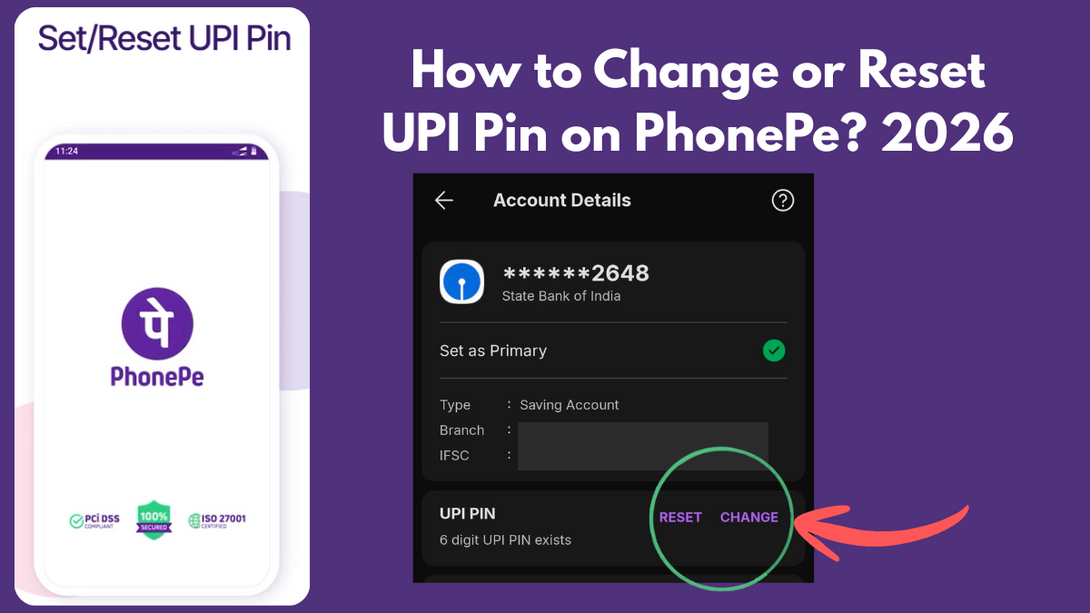
Open the PhonePe app
On the app’s homepage, scroll down until you see this “Manage Payments” section (check the screenshot below)
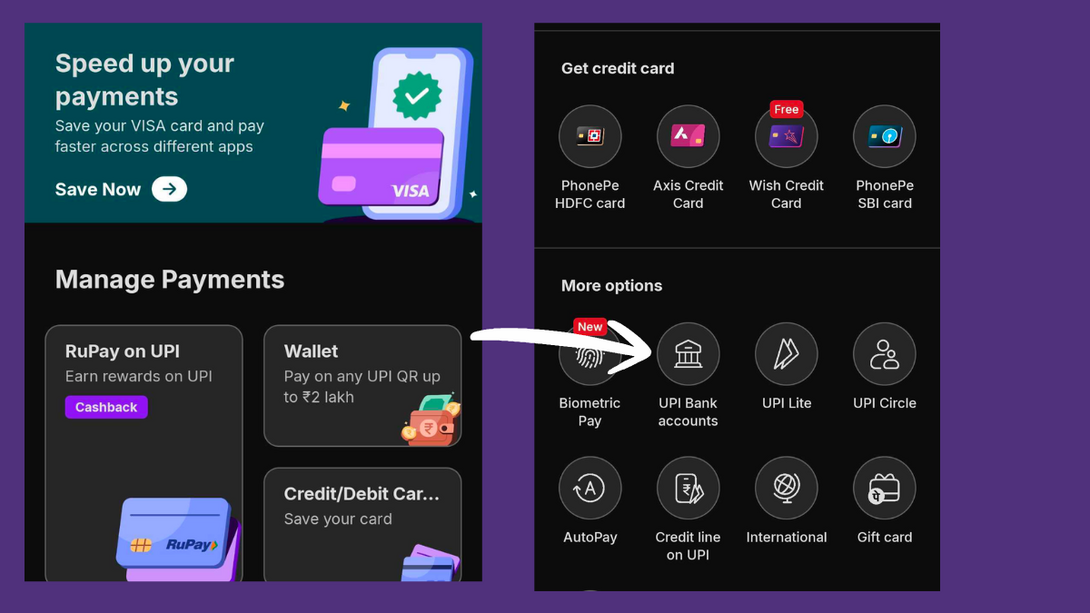
3. Next, click on “view all”
4. Scroll down on this page until you see the “More Options” section
5. Here, click on “Bank Account”
6. Your UPI-linked bank account(s) will appear here
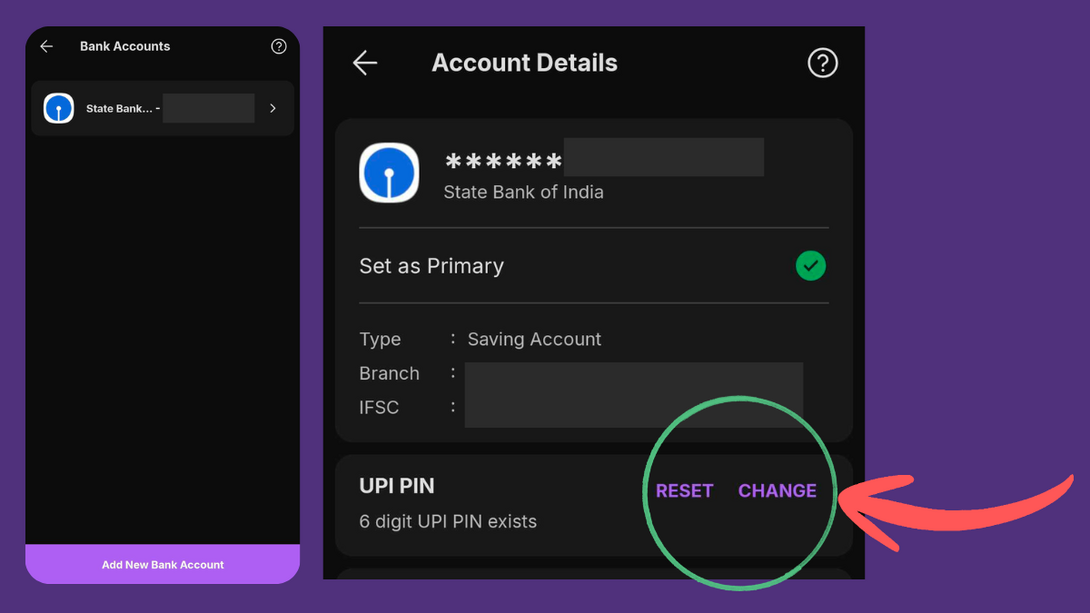
7. Select the bank account you wish to change UPI Pin of
8. You will see a Set option in case you have never set a UPI Pin for the bank account.
9. Otherwise, you will see a Reset option to set a new UPI Pin for the bank account
10. Now, you will get two options: (A) Reset UPI PIN using Aadhar and Option (B) Reset UPI PIN using debit card
11. If you choose Aadhar, make sure the same mobile number is linked to Aadhar + Bank account
12. Enter the first 6 digits of your Aadhar number
13. If you choose debit card option, enter your debit card / ATM card details (last 6 digits of your card + card expiry date)
14. In case your card does not have an expiry date, try entering 00/49 OR 01/49
15. Enter the OTP to verify and add the new UPI Pin you wish to set.
That’s how easy it is to change your UPI PIN on PhonePe.
Since you’re already inside the app checking your bank account settings, you might also notice the credit card section there. PhonePe has partnered with banks for co-branded cards that offer value back on certain spends.
For instance, the SBI PhonePe Credit Card gives 10% value back* in select categories.
There’s also the HDFC PhonePe Ultimo Credit Card that offers 10% reward points*..
Such useful Credit Cards Offers are often discussed on DesiDime, we are India’s largest shopping community. Sign up on DesiDime (for free) to get the latest deals and offers first across Amazon, Flipkart, Myntra and 1000+ other stores.
.
Open the PhonePe app and go to Bank Accounts under your profile.
Select the bank account for which you want to change the UPI PIN.
Tap on Reset UPI PIN.
Choose Reset using Aadhaar when asked for the method.
Make sure your mobile number is linked to both your bank account and Aadhaar.
Enter the first 6 digits of your Aadhaar number.
Verify the OTP sent to your registered mobile number.
Set your new UPI PIN and confirm it.
Also read:




![Flipkart Diwali Sale 2026 Date [ Dussehra Offers are Live! ]](https://cdn0.desidime.com/attachments/photos/3554427/large/FlipkartDiwaliSale2026DateOffersExpected.png?1792159253)


![Top 20+ Diwali Sale Offers India 2026 [ Amazon, Flipkart, Acer & more ]](https://cdn2.desidime.com/attachments/photos/3552635/large/DiwaliSaleOffersIndia2026AmazonFlipkartAcermore.png?1791989870)
helpful
how to change upi id in my icici bank account its 99xxxxxx@icici and now that number has changed and also changed in bank - but that upi id is still working and i am unable to change
Deregister id in icici app and then start fresh registration