













How to Install JioPC? Price, Specs & Is It Worth Buying?


 Follow
JioPC is a pretty interesting concept. Instead of buying a new laptop or desktop, JioPC basically lets you turn an existing device into a cloud-based computer for a relatively small subscription fee. Sounds pretty cool, right? But is it actually worth it? If you’ve been wondering about how the JioPC works, how to install JioPC and its cost, we’ve covered it all in this article.
Read on to know the complete details of JioPC, how to use, install and if its even worth buying or not.
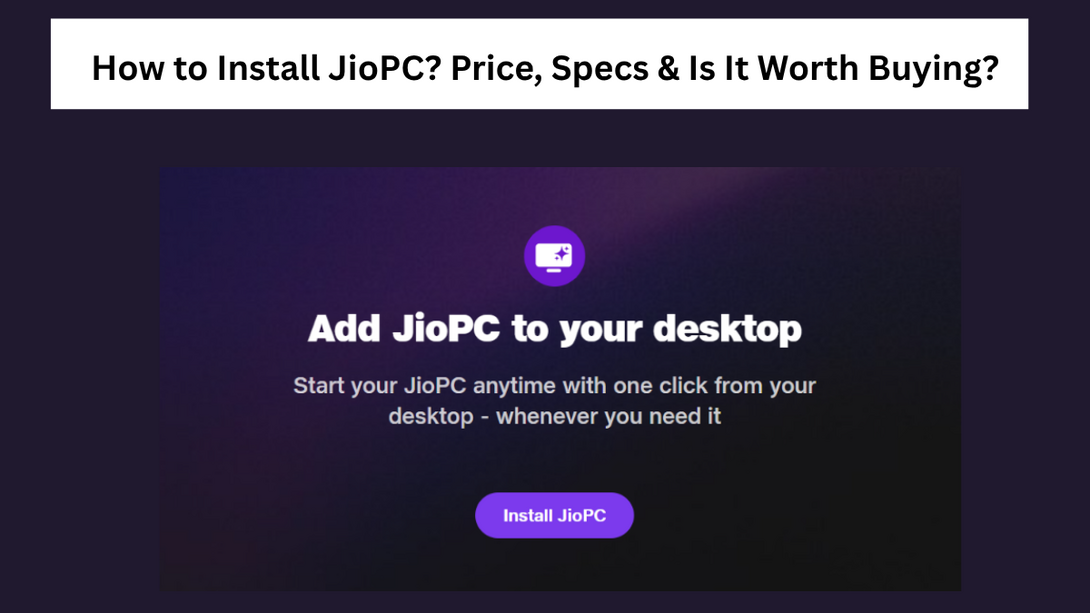
JioPC is a cloud-based, virtual desktop that can be accessed via JioPC website https://my.jiopc.in/ OR Jio Set-top Box on almost any monitor, TV, old desktop or laptop. The JioPC price starts from ₹1000 per 2 months for 8gb + 500gb storage and ₹1200 per 2 months for 16gb + 1TB plan. As part of the JioPC launch offer, Jio is offering a free 7-days trial to new users. All users (Jio and non-Jio users) can install JioPC on their device.
.
If you’re confused about how JioPC works, here’s how it works in simple words:
Users can connect their old laptop, desktop, TV or monitor to JioPC via Jio Set-up Box or JioPC website
JioPC is cloud-based and virtual so you do not have to store apps or files on your device
JioPC runs a custom Linux OS instead of Windows OS that most of us usually use. So while JioPC handles Chrome, YouTube, and web apps great, you cannot install standard Windows software (.exe files) like Tally, MS Word desktop apps, etc., unless there's a web/Linux alternative.
Everything runs on Jio’s cloud servers (similar to watching a video hosted on YouTube’s servers). This also means that JioPC cannot run offline.
When you move your mouse or type on your keyboard, your inputs are sent to Jio’s cloud servers >> the servers process the request >> and sends the update to your screen (due to this, some users may experience lag if their internet connection is slow or unstable)
Interested users can buy the JioPC package on the official JioPC website and connect their device to JioPC to start using the cloud-based computer. Note that JioPC isn’t a physical computer and it’s rather a Cloud Desktop / Desktop-as-a-Service (DaaS) solution developed by Reliance Jio Platforms, the digital and technology arm of Reliance Industries Limited (RIL).
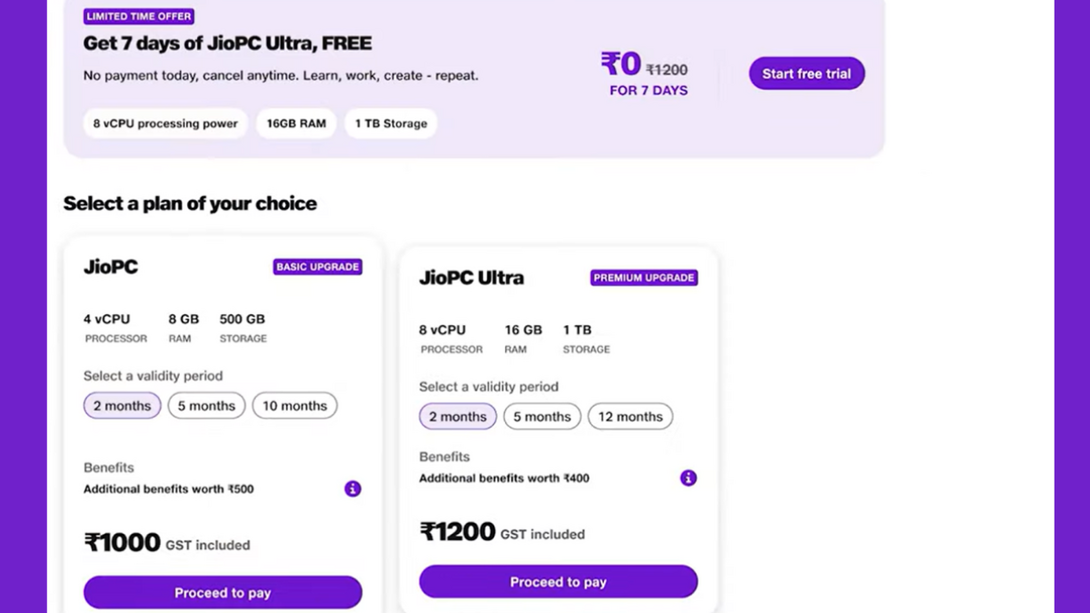
Here’s how much the Reliance JioPC plans cost in India (2026):
Validity |
JioPC (8GB + 500GB Storage) |
JioPC Ultra (16GB + 1TB Storage) |
2 Months |
Rs.1,000 |
Rs. 1,200 |
5 Months |
Rs.2,000 |
Rs. 2,500 |
10 + 2 Months |
Rs.4,000 |
Rs. 5,000 |
As you can see currently, JioPC has 2 main plans - JioPC (8gb + 500gb) and JioPC (16gb + 1TB). Both the plans start from a base validity of 2 months and cost Rs.1000 and Rs.1,2000, respectively. For 5-months validity, the 8GB JioPC plan costs Rs.2000 whereas the Ultra plan costs Rs.2500.
JioPC yearly price starts from Rs.4000 and Rs.5000 for standard plan and Ultra plan, respectively. Many users seem to find this price on an affordable side.
However, select users on platforms such as X are asking whether it's worth investing Rs.6000 to Rs.4000 for 1-year in a simple cloud-based and Linux-based PC instead of putting that same amount in EMI of an actual laptop that can run Windows and other apps we use on a day to day basis. For students and for basic browsing, JioPC can still be a good option though.
.
Plug a wired USB keyboard and mouse directly into the USB ports on your Jio Set-Top Box (or pair a wireless Bluetooth keyboard/mouse via TV settings)
Turn on your TV, head over to the Apps section on your Jio Set-Top Box screen, and click on the JioPC icon
Enter your registered mobile number, hit get OTP, and verify it on screen.
Tap "Launch Now" or select your active JioPC profile, and your TV screen will turn into a cloud-based desktop.
You’ll be redirected to JioPC Purchase page here - https://www.jio.com/jiopcpurchase/
Enter your mobile number and OTP
Enter your name, pincode and email address to receive the activation link and click on the submit button
You’ll be redirected to a page where you need to select a JioPC plan
You can also choose the 7-days free trial here
Click on the free trial button and it might verify an auto-pay payment
Once done, open your email to find the activation link
Click on the JioPC activation link and install JioPC
Enter your mobile number and OTP to sign in
Create an account password and hit the proceed button
Next, click on “launch JioPC” button to finally launch your JioPC
Following is a tutorial on how to install
Planning to buy a JioPC? Make sure to first read the following pros and cons of JioPC
JioPC Pros |
JioPC Cons |
Cheap upfront cost (starts ₹1000 per 2 months) |
Might not prove to be the best investment in long-term compared to buying an actual basic laptop |
Good for old laptops with a dead battery or a slow CPU, as long as it can run a web browser. |
Even though JioPC runs on Ubuntu Linux operating system and comes with Preloaded LibreOffice suite and supports Microsoft 365 web apps, it might not be the best solution for many users. |
Good for simple browsing, simple browser-based editing and light tasks |
JioPC has not specified any GPU specs. So assume that it lacks a dedicated graphics card and forget about modern 3D PC gaming, heavy video editing (DaVinci/Premiere), or local 3D rendering. |
No need of any maintenance or antivirus subscription or worry about system updates |
Might experience a bit of lag in keyboard clicks and mouse movements (depending on the internet) |
Some users have reported that it doesn't fully support all hardware plug-ins yet such as webcams, printers, etc. |
Whether JioPC is worth buying or not is something that really depends on your needs. Are you a student looking for a cheap desktop setup to attend classes, browse or are you looking for gaming, editing or rendering or minting cryptos if that’s something you’re into? Well, if you fall in the first scenario, chances are you might find the JioPC pretty value for money (at least at its current yearly pricing).
Also as mentioned previously, JioPC reportedly doesn’t support external devices like printers and webcams. So if that’s something important to you, rethink whether you really wanna buy JioPC or not. Obviously buying a laptop of your own (even if the basic ASUS Vivobook 15 Intel Core i3 12th Gen 1215U 8+512gb under 30K would be anytime better than this).
For some reason, JioPC reminds me so much of the meme, “modern problems require modern solutions” 😂 They definitely don’t seem to hold back when it comes to launching some really “interesting” stuff in the market (take their recent Jio Prime membership for example, yes the same one that asks users to pay ₹300 to “lock” the price of ₹299 plan for next 1 year 🙄)
Oh btw, the JioBook also has some weird specs. Have a look at this:
Jiobook Laptop launched! Price, full specs, worth buying or not?




![Flipkart Diwali Sale 2026 Date [ Dussehra Offers are Live! ]](https://cdn3.desidime.com/attachments/photos/3554427/large/FlipkartDiwaliSale2026DateOffersExpected.png?1792159253)


![Top 20+ Diwali Sale Offers India 2026 [ Amazon, Flipkart, Acer & more ]](https://cdn0.desidime.com/attachments/photos/3552635/large/DiwaliSaleOffersIndia2026AmazonFlipkartAcermore.png?1791989870)
These PCs don't even have Terminals for you to install stuff and are running Linux. What they are offering is a glorified browser + office sub-system